

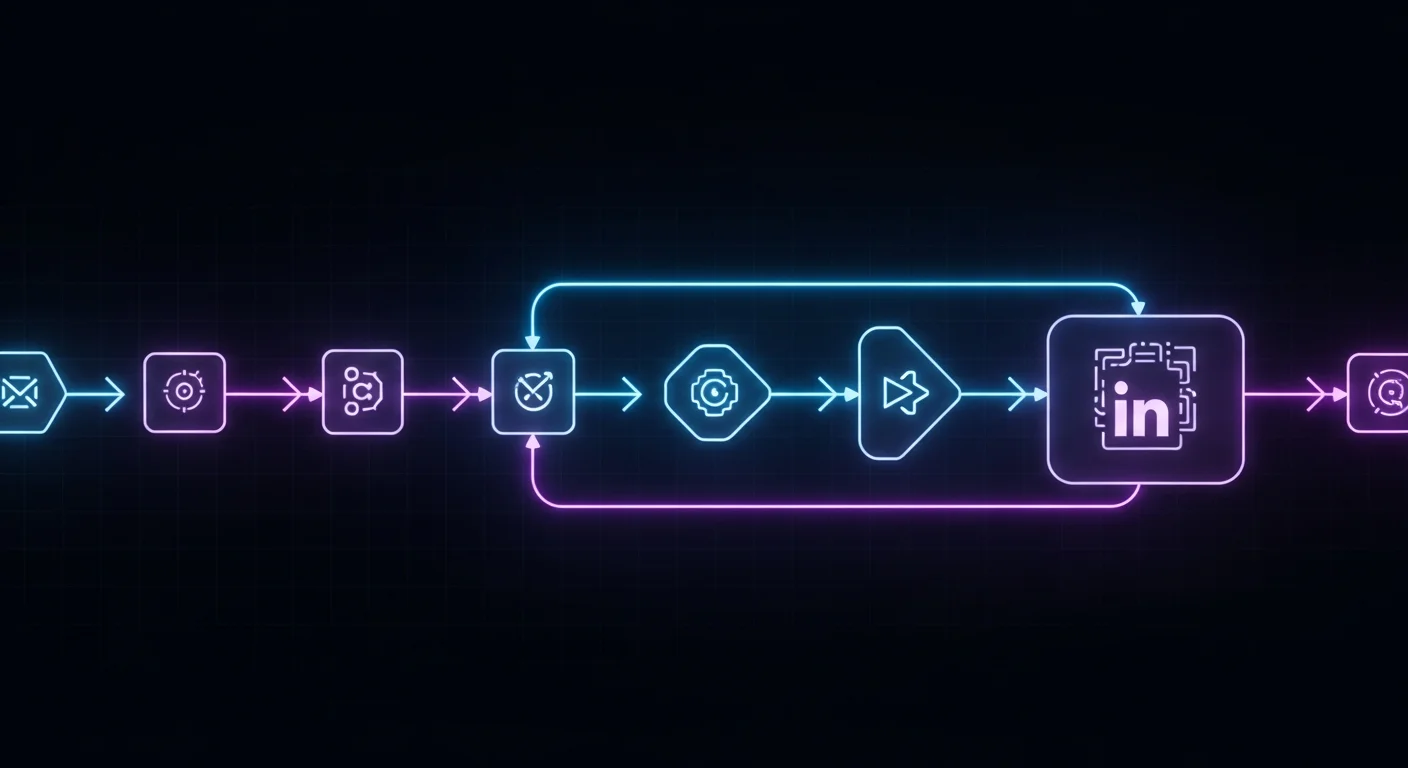
Building a LinkedIn Outreach Workflow with n8n and BeReach
Scaling LinkedIn outreach requires more than just a connection request tool—it needs orchestration. You need to connect prospect data sources, enrich contacts, trigger outreach at the right time, sync with your CRM, and notify your team when leads respond.
In this comprehensive tutorial, we'll show you how to build a complete LinkedIn outreach workflow using n8n (the workflow automation platform) and BeReach (AI-powered LinkedIn automation). By the end, you'll have a production-ready system that automates prospecting from end to end.
Why n8n + BeReach?
n8n: The Open-Source Zapier Alternative
n8n is a powerful workflow automation platform that connects apps, APIs, and services with a visual node-based interface.
Key advantages:
- Open source: Self-host for free or use n8n Cloud
- Unlimited workflows: No limits on automation executions
- 800+ integrations: Connect virtually any tool
- Code flexibility: Write custom JavaScript when needed
- Complex logic: Advanced branching, loops, and data transformation
Perfect for: Connecting data sources, enriching leads, triggering actions based on conditions, and orchestrating multi-step workflows.
BeReach: AI-Powered LinkedIn Automation
BeReach handles LinkedIn prospecting with safety and personalization at scale.
Key features:
- API-first LinkedIn API with Chrome extension for authentication
- AI-powered message personalization
- Signal-based triggering (profile visits, engagement)
- Multi-step sequences
- CRM integration
- API access for programmatic control
Perfect for: Automated connection requests, follow-up sequences, engagement tracking, and lead qualification.
Together: End-to-End Automation
By combining n8n's orchestration with BeReach's LinkedIn automation, you can:
✅ Automatically enrich prospects from multiple sources
✅ Trigger personalized LinkedIn outreach based on signals
✅ Sync all activity to your CRM in real-time
✅ Route hot leads to sales reps automatically
✅ Send Slack/email notifications for responses
✅ Run A/B tests on messaging and timing
✅ Build complex nurture workflows that span months
Architecture Overview
Here's how the workflow fits together:
Data Sources → n8n (orchestration) → BeReach (LinkedIn) → CRM
     ↓              ↓                      ↓              ↓
  Apollo      Enrichment              Personalized    HubSpot
  CSV file    Webhooks                Outreach        Slack
  LinkedIn    Scheduling                              Email
  API         Conditional logic
Flow:
- Prospect identified (from list, webhook, or database)
- Enrichment (Apollo, Clearbit, or custom scraping)
- Qualification (check ICP fit, budget, tech stack)
- BeReach triggers personalized LinkedIn outreach
- CRM updated with activity and status
- Team notified when prospect responds
Prerequisites
Before we begin, you'll need:
Accounts:
- n8n (self-hosted or n8n Cloud)
- BeReach account with API access
- CRM (HubSpot, Salesforce, or Pipedrive)
- Data enrichment tool (Apollo, ZoomInfo, or Clearbit) - optional
Technical skills:
- Basic understanding of APIs and webhooks
- Familiarity with JSON
- Optional: JavaScript for custom logic
Time estimate: 2-3 hours for initial setup
Step 1: Setting Up n8n
Self-Hosted Installation (Recommended)
Install n8n on a VPS (DigitalOcean, AWS, etc.):
# Using Docker
docker run -it --rm \
  --name n8n \
  -p 5678:5678 \
  -v ~/.n8n:/home/node/.n8n \
  n8nio/n8n

# Or using npm
npm install n8n -g
n8n start
Access at http://localhost:5678
n8n Cloud (Easier)
Sign up at n8n.cloud (free tier available).
Pros: Managed hosting, automatic updates, SSL included
Cons: Monthly cost ($20+), potential data privacy concerns
Step 2: Connecting BeReach to n8n
BeReach provides a RESTful API for programmatic control.
Get Your BeReach API Key
- Log into berea.ch
- Navigate to Settings → API
- Generate a new API key
- Save it securely (you'll need it in n8n)
BeReach API Endpoints
Key endpoints:
POST /api/campaigns          # Create a campaign
POST /api/campaigns/{id}/prospects  # Add prospects
GET /api/campaigns/{id}/analytics   # Get campaign stats
POST /api/sequences          # Create message sequences
GET /api/activities          # Get prospect activity
Configure n8n HTTP Request Node
In n8n, create a new workflow and add an HTTP Request node:
Settings:
- Method:
POST - URL:
https://api.berea.ch/api/campaigns - Authentication:
Header Auth- Name:
Authorization - Value:
Bearer YOUR_API_KEY
- Name:
- Body: JSON payload
Step 3: Basic Workflow - CSV to LinkedIn Outreach
Let's start with a simple workflow: Import prospects from a CSV and send LinkedIn connection requests.
n8n Workflow Nodes
1. CSV File Trigger
- Upload your prospect CSV (name, title, company, LinkedIn URL)
2. Split in Batches (optional)
- Process 50 prospects at a time to avoid rate limits
3. Set Node - Format data
- Map CSV columns to BeReach API format
{
  "firstName": "{{$json['First Name']}}",
  "lastName": "{{$json['Last Name']}}",
  "title": "{{$json['Job Title']}}",
  "company": "{{$json['Company']}}",
  "linkedinUrl": "{{$json['LinkedIn URL']}}"
}
4. HTTP Request - Add to BeReach campaign
- Endpoint:
POST /api/campaigns/{campaignId}/prospects - Body: Formatted prospect data
5. Wait (optional)
- Delay between batches: 60 seconds
6. Set Node - Log results
- Track successes/failures for review
BeReach Campaign Setup
Before running the workflow, create a campaign in BeReach:
- Campaign name: "n8n CSV Import - Q1 2026"
- Sequence:
- Day 0: Send connection request with personalized message
- Day 3: If accepted, send thank you + value message
- Day 7: Share relevant resource
- Day 14: Soft pitch or meeting request
- Daily limit: 25 connection requests
- Personalization: Enable AI-powered messaging
Run the Workflow
- Upload your CSV in n8n
- Test with 10 prospects first
- Review in BeReach dashboard
- Scale to full list once validated
Step 4: Advanced Workflow - Signal-Based Outreach
Now let's build a more sophisticated workflow that triggers outreach based on buyer intent signals.
Architecture
Webhook (signal detected) → n8n → Check CRM → Enrich → BeReach → Update CRM → Notify team
Signal Sources
What signals to monitor:
- Prospect visited your website (tracked by CRM or analytics)
- Engaged with your LinkedIn content
- Company announced funding or hiring
- Job change to target role
- Attended your webinar
n8n Workflow Nodes
1. Webhook Trigger
- URL:
https://your-n8n-instance.com/webhook/linkedin-signal - Method:
POST - Expected payload:
{
  "linkedinUrl": "https://linkedin.com/in/prospect",
  "signalType": "profile_visit",
  "timestamp": "2026-02-20T10:30:00Z"
}
2. HTTP Request - Check if already in CRM
- Query HubSpot/Salesforce by LinkedIn URL
- If exists, update; if not, create
3. IF Node - Check ICP fit
- Company size: 50-500 employees
- Role: Decision-maker (VP, Director, Head of)
- Industry: B2B SaaS
- If not qualified, skip outreach
4. HTTP Request - Enrich with Apollo
- Endpoint:
POST https://api.apollo.io/v1/people/match - Get email, phone, company details
5. Function Node - Generate personalized message
const signal = $input.item.json.signalType;
const firstName = $input.item.json.firstName;
const company = $input.item.json.company;

let message = "";

if (signal === "profile_visit") {
  message = `Hi ${firstName}, I noticed you checked out my profile earlier this week. I see you're focused on scaling outbound at ${company}. We've helped similar teams automate 60% of prospecting while improving response rates. Would love to connect and share what's working.`;
} else if (signal === "content_engagement") {
  message = `Thanks for engaging with my post on AI prospecting, ${firstName}! Given your role at ${company}, I thought you might find this case study interesting: [link]. Would love to hear your thoughts.`;
}

return { json: { message, firstName, linkedinUrl: $input.item.json.linkedinUrl } };
6. HTTP Request - Trigger BeReach outreach
- Endpoint:
POST /api/campaigns/{campaignId}/prospects - Include generated message as
personalizedNote
7. HTTP Request - Update CRM
- Create/update contact in HubSpot
- Set property:
linkedin_outreach_sent = true - Add to "LinkedIn Outreach" workflow
8. Slack Notification (optional)
- Notify team: "New LinkedIn outreach triggered for {Name} at {Company}"
Testing Signal-Based Workflow
Simulate a signal:
curl -X POST https://your-n8n-instance.com/webhook/linkedin-signal \
  -H "Content-Type: application/json" \
  -d '{
    "linkedinUrl": "https://linkedin.com/in/testprospect",
    "firstName": "Sarah",
    "lastName": "Johnson",
    "company": "Acme Corp",
    "title": "VP Sales",
    "signalType": "profile_visit",
    "timestamp": "2026-02-20T10:30:00Z"
  }'
Check n8n execution log, BeReach dashboard, and CRM to confirm.
Step 5: Multi-Channel Follow-Up Workflow
LinkedIn outreach is more effective when combined with other channels. Let's build a workflow that coordinates LinkedIn + Email + Phone.
Workflow Logic
- Day 0: LinkedIn connection request
- Day 3: If accepted → LinkedIn message
- Day 3: If not accepted → Find email and send cold email
- Day 7: LinkedIn follow-up OR email follow-up (depending on acceptance)
- Day 14: Phone call task assigned to SDR (if still no response)
n8n Workflow Nodes
1. Schedule Trigger - Runs daily at 9 AM
- Fetches prospects in "LinkedIn Pending" status from CRM
2. Loop Over Items
- Process each prospect individually
3. HTTP Request - Check LinkedIn status in BeReach
- Endpoint:
GET /api/prospects/{id}/status - Returns:
pending,accepted,declined,responded
4. Switch Node - Route based on status
Branch 1: Connection Accepted
- Send follow-up LinkedIn message via BeReach
- Update CRM status: "LinkedIn - Message Sent"
Branch 2: Connection Declined or Pending >5 Days
- Find email via Apollo
- Send cold email via SendGrid/Mailgun
- Update CRM status: "Email Outreach"
Branch 3: Responded
- Create task for SDR: "Follow up with {Name}"
- Notify via Slack
- Move to "Qualified" pipeline stage
5. Wait 7 Days Node
- Pause workflow, resume for next touchpoint
6. Repeat based on engagement
Email Template Integration
Use n8n's SendGrid or Gmail node:
// Dynamic email based on LinkedIn outcome
const subject = `Quick question about ${company}'s outbound strategy`;

const body = `Hi ${firstName},

I tried connecting with you on LinkedIn last week but haven't heard back—guessing you might not check it often!

I work with B2B teams like ${company} to automate prospecting without losing personalization. We've helped companies like [similar company] cut SDR workload by 60% while booking 2x more meetings.

Would a 15-minute call next week make sense?

Best,
[Your Name]`;
Step 6: A/B Testing Messaging
Want to know which LinkedIn messages convert best? Build an A/B testing workflow.
Workflow Design
1. Webhook/CSV Input - New prospects
2. Function Node - Randomly assign variant
const variant = Math.random() < 0.5 ? "A" : "B";
return { json: { ...items[0].json, variant } };
3. Switch Node - Route by variant
Variant A:
- Message: Short, direct value prop
- "Hi {Name}, we help {persona} at {company_type} achieve {outcome}. Open to connecting?"
Variant B:
- Message: Longer, story-driven
- "Hi {Name}, I saw your post about {topic}. We recently worked with {similar company} on the same challenge and helped them {result}. Would love to share what worked—open to connecting?"
4. Send via BeReach with variant tag
5. Wait 7 days
6. HTTP Request - Get acceptance rates from BeReach
- Endpoint:
GET /api/campaigns/{id}/analytics?variant=A
7. Compare Results
- Variant A acceptance rate: X%
- Variant B acceptance rate: Y%
- Winner: Higher acceptance rate
Automated Winner Selection
Add a Function Node that automatically uses the winning variant for future prospects:
const variantARate = $input.item.json.variantA.acceptanceRate;
const variantBRate = $input.item.json.variantB.acceptanceRate;

const winner = variantARate > variantBRate ? "A" : "B";

// Store in n8n Static Data or update BeReach campaign settings
return { json: { winner, variantARate, variantBRate } };
Step 7: CRM Integration Patterns
Keep your CRM as the single source of truth.
HubSpot Integration
n8n HubSpot nodes:
- Create Contact
- Update Contact Property
- Add to List
- Create Deal
- Create Task
Key properties to sync:
linkedin_connection_status(pending/accepted/declined)linkedin_last_message_datelinkedin_response_received(boolean)bereach_campaign_idlinkedin_profile_url
Sample n8n node config:
{
  "resource": "contact",
  "operation": "upsert",
  "email": "{{$json.email}}",
  "additionalFields": {
    "properties": [
      {
        "name": "linkedin_connection_status",
        "value": "{{$json.status}}"
      },
      {
        "name": "linkedin_last_message_date",
        "value": "{{$now}}"
      }
    ]
  }
}
Salesforce Integration
Similar approach using n8n's Salesforce node:
- Upsert Lead/Contact
- Update Campaign Member Status
- Create Task for sales rep
- Log Activity
Bi-Directional Sync
HubSpot → BeReach:
When a contact is marked as "LinkedIn Outreach Approved" in HubSpot, trigger n8n workflow that adds them to BeReach campaign.
BeReach → HubSpot:
When BeReach detects a response, n8n updates HubSpot and creates a task for SDR.
Step 8: Response Handling & Routing
When prospects reply on LinkedIn, route them intelligently.
BeReach Webhook for Responses
Enable webhooks in BeReach:
- URL:
https://your-n8n-instance.com/webhook/bereach-response - Events:
message_received,connection_accepted
n8n Response Workflow
1. Webhook Trigger - Receives BeReach response notification
2. Function Node - Extract key info
const message = $input.item.json.messageContent;
const prospectName = $input.item.json.prospect.firstName;
const linkedinUrl = $input.item.json.prospect.linkedinUrl;

return { json: { message, prospectName, linkedinUrl } };
3. AI Sentiment Analysis (optional)
- Use OpenAI API to classify:
interested,objection,not_interested,question
4. Switch Node - Route by sentiment
Branch: Interested
- Create meeting booking link
- Send to SDR for follow-up
- Update CRM stage: "SQL"
Branch: Objection
- Send objection handling resource
- Tag for SDR review
Branch: Question
- Auto-respond with FAQ answer (if simple)
- Otherwise, notify SDR
Branch: Not Interested
- Remove from sequence
- Update CRM: "Unqualified"
5. Slack Notification
- "#sales-linkedin" channel
- "🔥 Hot lead: {Name} from {Company} replied! Message: {snippet}"
Step 9: Monitoring & Analytics
Build a dashboard workflow to track performance.
Daily Summary Workflow
Schedule: Every day at 8 AM
Nodes:
1. HTTP Request - Get BeReach analytics
- Connection requests sent: X
- Acceptance rate: Y%
- Responses received: Z
- Meetings booked: W
2. HTTP Request - Get CRM pipeline data
- SQLs from LinkedIn: N
- Total pipeline value: $M
3. Function Node - Calculate KPIs
const costPerLead = totalSpend / sqlsGenerated;
const responseRate = responses / acceptedConnections;
const meetingRate = meetings / responses;

return { json: { costPerLead, responseRate, meetingRate } };
4. Send to Slack or Email
📊 LinkedIn Outreach Daily Report (Feb 20, 2026)

Connection Requests: 25
Acceptance Rate: 48% ✅
Responses: 7
Meetings Booked: 3
Cost per SQL: $42

Top performing message variant: B (52% acceptance)
Performance Alerts
Set up triggers for:
- Acceptance rate drops below 35% → Review targeting
- No responses in 3 days → Check message quality
- BeReach API errors → Technical issue alert
Step 10: Advanced Customization
AI-Powered Message Generation
Integrate OpenAI API into n8n:
Function Node:
const axios = require('axios');

const prompt = `Write a personalized LinkedIn connection request for:
- Name: ${firstName} ${lastName}
- Title: ${title}
- Company: ${company}
- Their recent post topic: ${recentPostTopic}
- Our value prop: We help B2B companies automate prospecting

Keep it under 200 characters, conversational, and reference their post.`;

const response = await axios.post('https://api.openai.com/v1/chat/completions', {
  model: 'gpt-4',
  messages: [{ role: 'user', content: prompt }]
}, {
  headers: { 'Authorization': `Bearer ${process.env.OPENAI_API_KEY}` }
});

const generatedMessage = response.data.choices[0].message.content;

return { json: { personalizedMessage: generatedMessage } };
Lead Scoring
Add a scoring node:
let score = 0;

// Company size scoring
if (employees >= 50 && employees <= 500) score += 20;

// Role scoring
if (title.includes('VP') || title.includes('Director')) score += 30;

// Engagement scoring
if (profileVisit) score += 15;
if (contentEngagement) score += 25;

// Industry scoring
if (industry === 'Computer Software') score += 10;

return { json: { ...items[0].json, leadScore: score } };
Route high-score leads (>70) to immediate outreach, low-score to nurture campaigns.
Multi-Account Management
Managing multiple LinkedIn accounts? Create separate BeReach campaigns per account and route prospects based on:
- Geography (US account for North America, EU account for Europe)
- Industry (SaaS account, E-commerce account)
- SDR assignment
Real-World Use Case: End-to-End Workflow
Let's put it all together with a complete example:
Scenario: B2B SaaS company targeting VPs of Sales at Series A-B companies.
Workflow:
- Daily at 9 AM: n8n queries Crunchbase API for companies that raised funding in the last 30 days
- Enrichment: Apollo API finds VP of Sales at each company
- Qualification: Check company size (50-200 employees), industry (B2B SaaS), funding amount ($5M+)
- Personalization: OpenAI generates unique message referencing the funding announcement
- BeReach outreach: Send personalized connection request
- CRM sync: Create contact in HubSpot, add to "Series A Outreach" list
- Day 3: If accepted, BeReach sends follow-up message with case study
- Day 7: If no response, send email to their work address
- Response handling: When prospect replies, notify SDR via Slack, create task in HubSpot
- Analytics: Daily summary report to #sales-ops channel
Results:
- 50 prospects/day = 1,000/month
- 45% acceptance rate = 450 connections/month
- 15% response rate = 68 responses/month
- 20% meeting rate = 14 meetings/month
- 30% close rate = 4 customers/month
Time saved: ~80 hours/month vs. manual outreach
Troubleshooting Common Issues
Issue: n8n Webhook Not Receiving Data
Solution:
- Check webhook URL is publicly accessible
- Verify authentication headers match
- Test with curl or Postman first
- Check n8n execution logs
Issue: BeReach API Rate Limits
Solution:
- Add Wait nodes between requests (1-2 seconds)
- Use Split in Batches to process in smaller chunks
- Contact BeReach support to increase limits
Issue: CRM Duplicates
Solution:
- Use "upsert" operations instead of "create"
- Match on LinkedIn URL or email (unique identifier)
- Add deduplication logic in Function Node
Issue: Low Acceptance Rates
Solution:
- Review message personalization quality
- Check targeting (ICP fit)
- Test different message variants
- Ensure LinkedIn profile is complete and credible
Frequently Asked Questions
Do I need coding skills to build these workflows?
Not necessarily. Basic workflows (CSV import, simple triggers) require no code. Advanced workflows (AI integration, custom logic) benefit from JavaScript knowledge, but n8n provides templates and a visual interface that minimizes coding requirements.
Can I run n8n and BeReach on free tiers?
Yes for testing. n8n is open-source (self-host for free), and BeReach offers a free trial. For production use at scale, expect $20-50/mo for n8n Cloud and $200-500/mo for BeReach depending on volume.
How do I handle LinkedIn account restrictions?
Follow BeReach's safety guidelines: stay within daily limits (20-30 requests/day), use high personalization, maintain good acceptance rates (>40%). If restricted, pause automation for 7 days and resume at lower volume.
Can I connect multiple LinkedIn accounts?
Yes. Create separate BeReach campaigns for each account and use n8n routing logic to assign prospects based on geography, industry, or SDR ownership. This distributes volume and reduces per-account risk.
What's the best CRM for this workflow?
HubSpot (best for SMBs, free tier available), Salesforce (best for enterprise, powerful but complex), or Pipedrive (simple and affordable). n8n has native nodes for all three, so choose based on your existing stack.
How do I ensure GDPR compliance?
Use legitimate business interest for B2B prospecting, provide clear opt-out mechanisms in messages, store data securely, and respect "stop contact" requests. Consult legal counsel for EU-specific requirements.
By combining n8n's workflow orchestration with BeReach's LinkedIn automation, you can build a sophisticated, scalable prospecting system that operates 24/7 with minimal manual effort. Start with basic workflows, test thoroughly, and gradually add complexity as you validate each component.
The key is iteration: monitor results, optimize messaging, refine targeting, and continuously improve your workflow based on data. With the right setup, you can generate a consistent flow of qualified leads while freeing your sales team to focus on conversations and closing deals.
Ready to get started? Sign up for BeReach and n8n, then use the workflow templates in this guide as your foundation. For AI agent orchestration beyond n8n, check out OpenClaw for building custom automation frameworks.